


SwapX PRO: AI Video & Photo
4.7471.00 Reviews
App Specs
- Version
- 2.2.3
- Updated On
- License
- Free
- Downloads
- 100,000+
- Developer
- SprayJoy Limited
- Categories
- Tools
- Platform
- Android
Screenshots
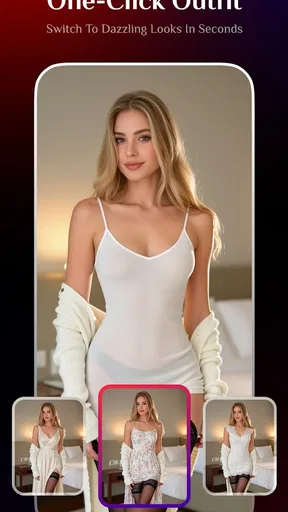
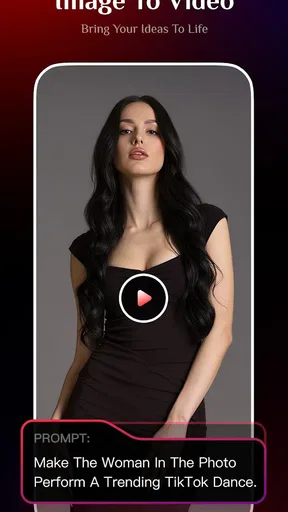
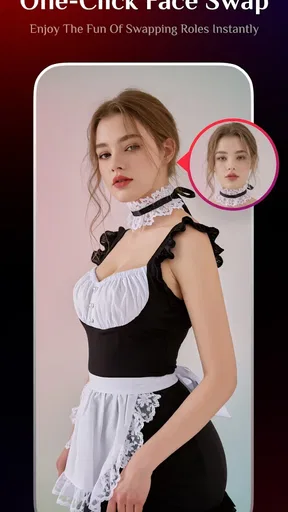
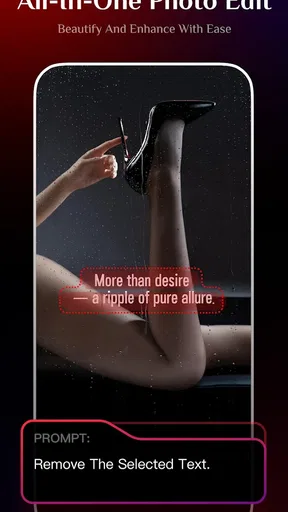
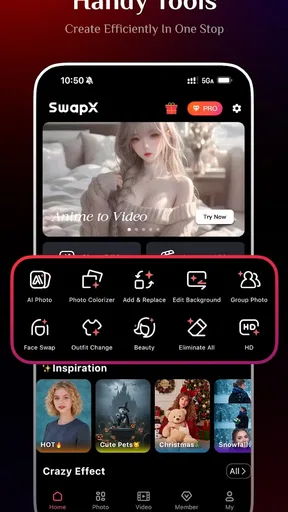
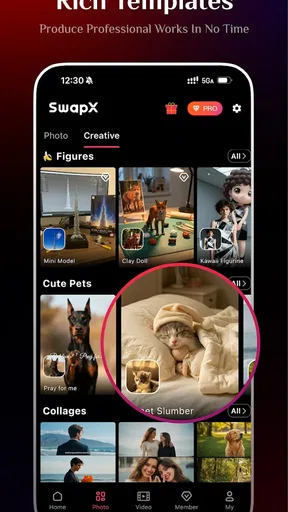
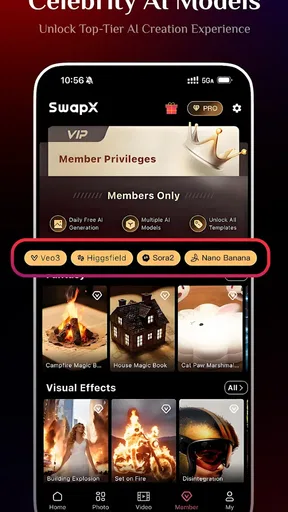
 Analysis by AppCompare
I like having a creative tool on hand for the small moments when a photo or clip could use a playful change, rather than opening a full desktop editor. That is the appeal I see in SwapX PRO: AI Video & Photo: it brings face swaps, background changes, and photo filters together in one mobile app. It feels most useful when I want to experiment quickly, though I would treat AI edits as creative drafts rather than assume every result will be ready to share without a second look.
One phone, several kinds of creative projects
A realistic use for an all-in-one editor is a family gathering or a shared trip: one person has a group photo, another has a short video, and someone wants to try a different look or setting. Instead of switching between separate tools for a face effect, a background edit, and a filter, SwapX PRO puts those creative options in the same place. That convenience matters most for casual projects where speed and playfulness count more than precise, professional retouching.
I would still make the source material do some of the work. For a face swap, a clear image with visible faces is a better starting point than a dim, crowded shot; busy backgrounds and unusual angles can make an AI result look less convincing. For a background change, choosing a clip with a well-defined subject gives the edit a better chance of looking intentional. These are practical editing habits, not guarantees: AI can produce odd edges or details, so I would preview the result closely before sending it to a group chat.
Shared-device habits and sensible boundaries
On a phone used by more than one person, I would keep a simple boundary between experimenting and publishing. Let each person choose the photos or videos they are comfortable editing, and review the finished version together before it is shared. That is especially useful when a face swap turns a private joke into something that could be misunderstood outside the household. A creative effect can be harmless fun, but the people pictured should be comfortable with how the edit is used.
I would also avoid treating a shared device as a shared creative identity. If several people use the same phone, make it clear whose project is open and who is choosing the source image; otherwise, it is easy to edit or export the wrong item. I would check the finished file before handing the phone to someone else, too. This is ordinary device coordination rather than a claim about special family or account controls, and it helps prevent accidental sharing or confusion over whose work is whose.
Who will enjoy it, and who may prefer another tool
SwapX PRO is a good fit for someone who wants quick, visual experiments and likes having photo and video effects close together. It can suit a casual creator making a funny clip, a person refreshing a profile image, or a parent and older teen brainstorming a harmless visual gag together. The app is less compelling if your main goal is detailed color correction, frame-by-frame video control, or a repeatable professional workflow. In those cases, a conventional editor with more direct manual controls is likely the better choice.
Compared with a basic photo-filter app, its face and background effects offer a wider kind of transformation; compared with a full video-editing suite, the attraction is less about control and more about getting to a creative result with fewer steps. That trade-off is worth keeping in mind. An AI tool can make a first pass fast, but a simple editor may be more dependable when exact cropping, timing, or consistent color matters. I would use SwapX PRO for playful changes and reach for a more hands-on editor when the details need to match a specific brief.
Worth Reading Before You Choose

EA SPORTS FC Mobile 26 Is a Bigger Football Game, but It Takes Time

Flipboard Shows What News Apps Must Do Beyond the Feed

Switching to Android Auto Means Rethinking Your Driving Routine

Google Calendar Makes a Crowded Week Easier to Manage

Ludo King Makes the Most of the Minutes Between Plans

Baby Panda World Brings Quick Play to Modern Phones, but Its Game Library Feels Busy
What to check before sharing an edit
One useful workflow is to make a copy of the original before trying a bold transformation, then compare the two before deciding what to keep. That gives me an easy way back if a filter feels too strong or a background change makes the subject look unnatural. I would also judge a preview at the size people will actually see it: an effect that looks fine on a small phone display can reveal rough edges when viewed larger.
If the edit is for a social post, I would decide on the intended crop and destination before spending time polishing it. A portrait image and a landscape video call for different framing, and a subject positioned near an edge may be awkward once the result is cropped elsewhere. This small planning step can save a round of re-editing. For a private joke, I would prioritize whether the people involved find it funny; for a public post, I would be more conservative and check that the transformation does not imply something misleading.
Age, trust, and expectations
The app is rated Teen, so I would take that age context seriously when deciding whether a younger person should use it. Face and background effects can be entertaining, but they also involve other people’s images and can produce edits that feel embarrassing or deceptive. I would set expectations around asking before using someone else’s face and thinking about the audience before sharing. That kind of conversation is more useful than assuming an effect is automatically harmless because it is easy to make.
There is also a cost boundary to consider. The app is free to download, while in-app purchases range from $4.99 to $249.99 per item. I would check the purchase screen carefully before confirming anything, particularly on a device used by several people. The gap between a free starting point and paid options means it is sensible to try the available workflow first and decide whether the app suits your needs before spending. I would not assume that every tool or export choice is included at no cost.
How it fits into an everyday editing routine
SwapX PRO is a tools app from SprayJoy Limited. It has a 4.7 average from around 4.2 thousand ratings, with over 100 thousand installs, and its current version is 2.2.3. It is free to download, rated Teen, and was released on November 22, 2025. Those details make it a fairly approachable option to try, but the best reason to keep it is whether its specific AI effects match the kind of editing you actually do.
For example, if I have a lighthearted clip from a weekend outing, I might try a background change, then compare it with the original and use a filter only if it improves the mood. I would keep the first version until I was happy with the result, and ask before sharing any edit featuring someone else. That process takes a little more care than simply tapping an effect, but it is a good balance between quick creativity and respecting the people in the image.
For a household, the practical question is not just whether one person enjoys the effects; it is whether everyone using the phone can keep track of source images, edits, and purchases. I would agree on who is allowed to approve a purchase and make a habit of checking the finished file before it goes anywhere. If the phone is mostly used by a child, or if the family needs tightly separated projects and predictable manual editing, I would choose a different workflow rather than expect this app to provide controls it may not offer.
From the get-go, SwapX PRO: AI Video & Photo hits you with a sleek interface that’s both inviting and intuitive. You don’t need to be a tech wizard to figure things out. The app guides you gently through its features, making sure you’re equipped to dive into your creative projects without any hassle.
What really piqued my interest was the seamless integration of AI that seems to understand what you need before you even realize it. This app isn’t just about slapping filters on your photos; it’s about transforming them into something out of this world. The AI analyzes your images and videos, suggesting enhancements that can make your content pop.
Diving into the Features
Let’s talk features because that’s where the magic happens. The app boasts a range of tools that can make your content creation journey a breeze. Ever wanted to swap faces in a video? It’s as simple as a few taps. The AI does the heavy lifting, ensuring the results are nothing short of impressive.
Another feature that caught my eye is the ability to change backgrounds. Whether you’re looking to transport your video to a tropical paradise or a bustling cityscape, the app’s got you covered. It’s like having a green screen in your hand, minus the hassle of setting one up.
And for those of you who love a bit of flair in your photos, the app’s filter library is expansive. You can go from vintage vibes to futuristic feels in seconds. It’s perfect for anyone looking to add a personal touch to their snaps.
Usability and Performance
A good app isn’t just about features; it’s also about performance. I was pleasantly surprised by how smooth everything runs. Even with multiple edits and enhancements happening at once, the app doesn’t lag. It’s optimized to handle complex tasks efficiently, ensuring that your creative flow isn’t interrupted by pesky loading screens.
What’s more, the app’s export options are versatile. Whether you’re sharing your masterpiece on social media or sending it to a friend, the app ensures your content retains its quality. The resolution remains crisp, and the colors stay vibrant, making sure your hard work is showcased in the best light possible.
The Creative Community
It’s not just about what you can do with the app; it’s also about what you can learn from others. SwapX PRO has a vibrant community of creators who share their tips and tricks. It’s a fantastic way to get inspired and see how others are pushing the boundaries of what’s possible with this tool. There’s even a feature that lets you share your edits directly within the app, opening up a world of feedback and collaboration.
The app also regularly updates with new features and improvements based on user feedback. It’s clear that the developers are committed to enhancing the user experience, and they’re constantly adding new elements to keep things fresh and exciting.
Final Thoughts
All in all, SwapX PRO: AI Video & Photo is a fantastic app for anyone looking to take their editing skills to the next level. Whether you’re a budding creator or a seasoned pro, there’s something here for everyone. The combination of powerful AI features, ease of use, and a supportive community makes it a standout choice in the crowded world of editing apps.
So, if you’re ready to transform your photos and videos into something extraordinary, SwapX PRO is definitely worth a try. It’s not just an app; it’s a gateway to endless creative possibilities. Dive in and let your imagination run wild!
Pros
- Intuitive interface for quick edits.
- High-quality output with minimal artifacts.
- Variety of AI filters and effects.
- Supports multiple video formats.
- Fast processing times for large files.
Cons
- Occasional app crashes during edits.
- Limited free features without subscription.
- Requires strong internet for best results.
- Large app size may strain storage.
- Some features need in-app purchases.
FAQs for SwapX PRO: AI Video & Photo
What is SwapX PRO and how does it work?
SwapX PRO is a cutting-edge app designed for AI-powered video and photo editing. It allows users to seamlessly swap faces in videos and photos with precision and ease. The app leverages advanced AI technology to provide realistic and smooth edits, making it a favorite among content creators and casual users alike.
Is SwapX PRO safe to use for personal photos and videos?
Yes, SwapX PRO is designed with user privacy in mind. The app ensures that your personal photos and videos remain secure. It does not store any images or videos on its servers, and all processing is done locally on your device, safeguarding your content from unauthorized access.
What are the system requirements for using SwapX PRO?
SwapX PRO is compatible with both Android and iOS devices. For optimal performance, it is recommended to have a device running Android 8.0 or higher, or iOS 12.0 or later. Ensure your device has sufficient storage and processing power to handle large video and image files smoothly.
Does SwapX PRO offer in-app purchases or subscriptions?
Yes, SwapX PRO offers a range of in-app purchases and subscription options. While the basic features are free, premium features such as high-resolution exports, advanced editing tools, and ad-free experience require a subscription. Users can choose from monthly, quarterly, or annual plans to suit their needs.
Can SwapX PRO be used offline?
SwapX PRO requires an internet connection for initial setup and for downloading updates. However, once installed, the app can perform most editing functions offline. This makes it convenient for users to edit videos and photos without needing a constant internet connection, particularly useful when traveling or in areas with limited connectivity.


